⭐ Subscribe to a Teacher Sky plan
Want to ask more? Subscribe to a plan. Pay by DuitNow; never charged automatically.
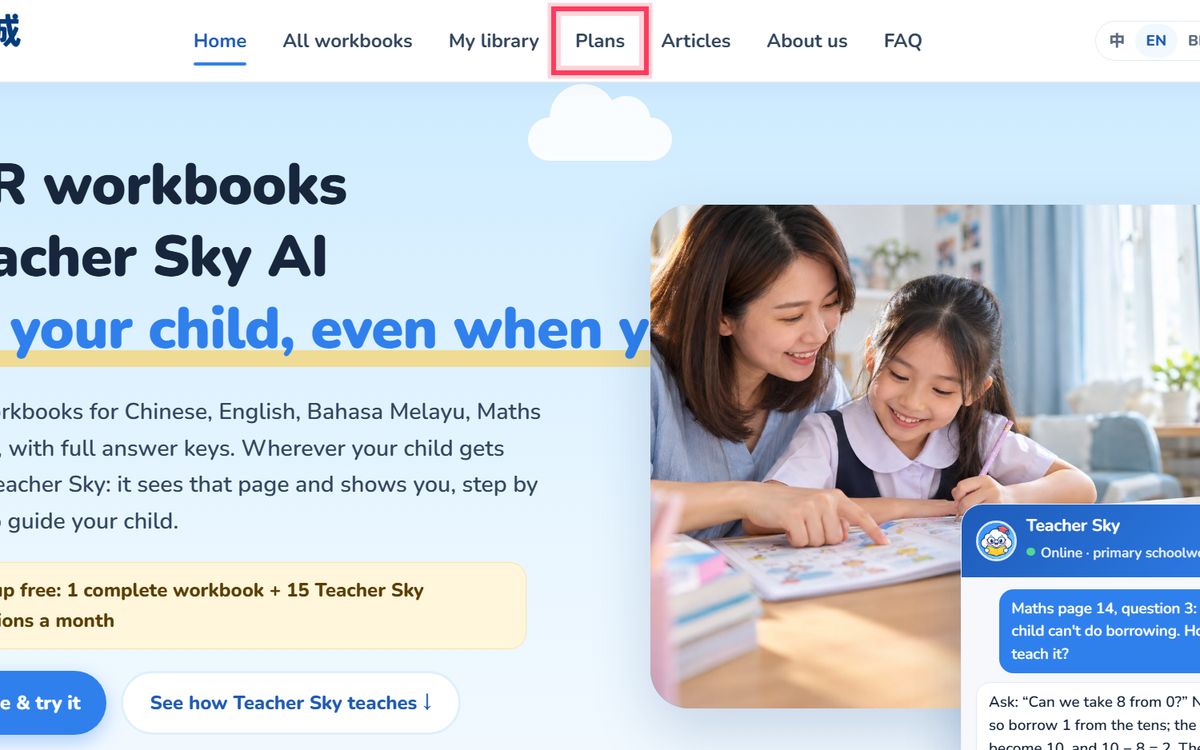
Click Plans at the top.
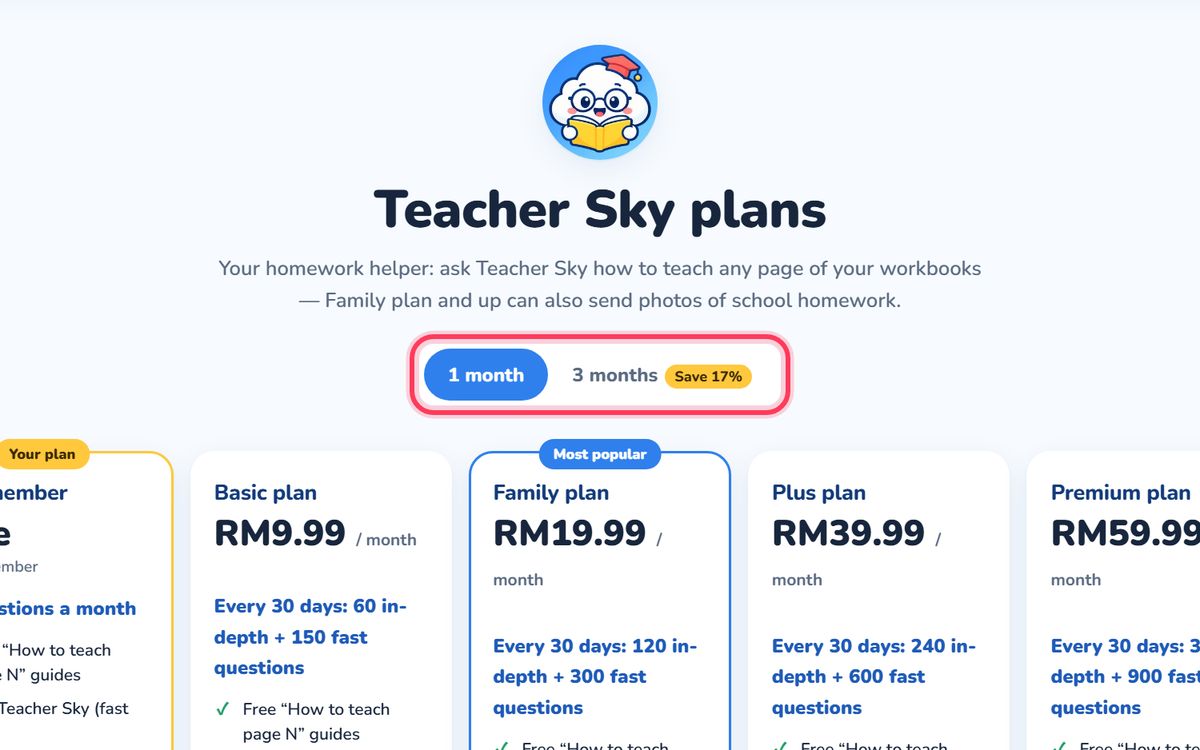
Choose 1 month or 3 months (3 months saves more).
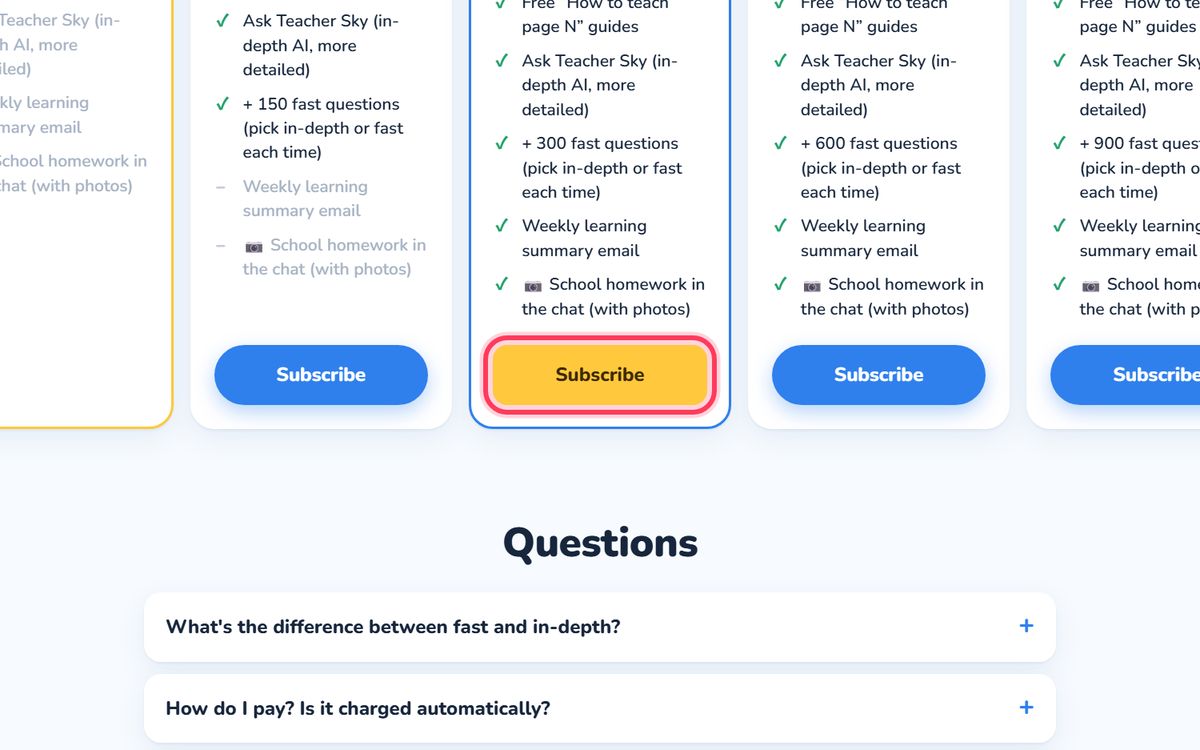
Pick a plan and click “Subscribe”.
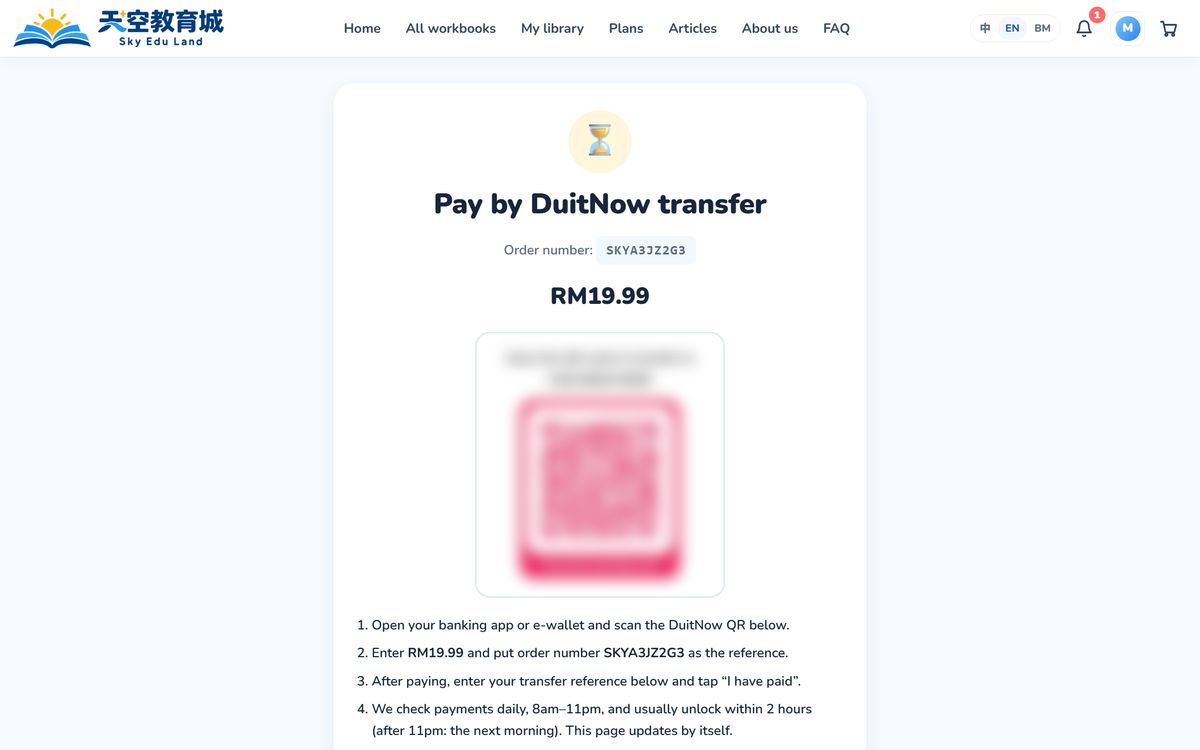
Same as buying a workbook: scan the DuitNow QR, pay and click “I have paid”.
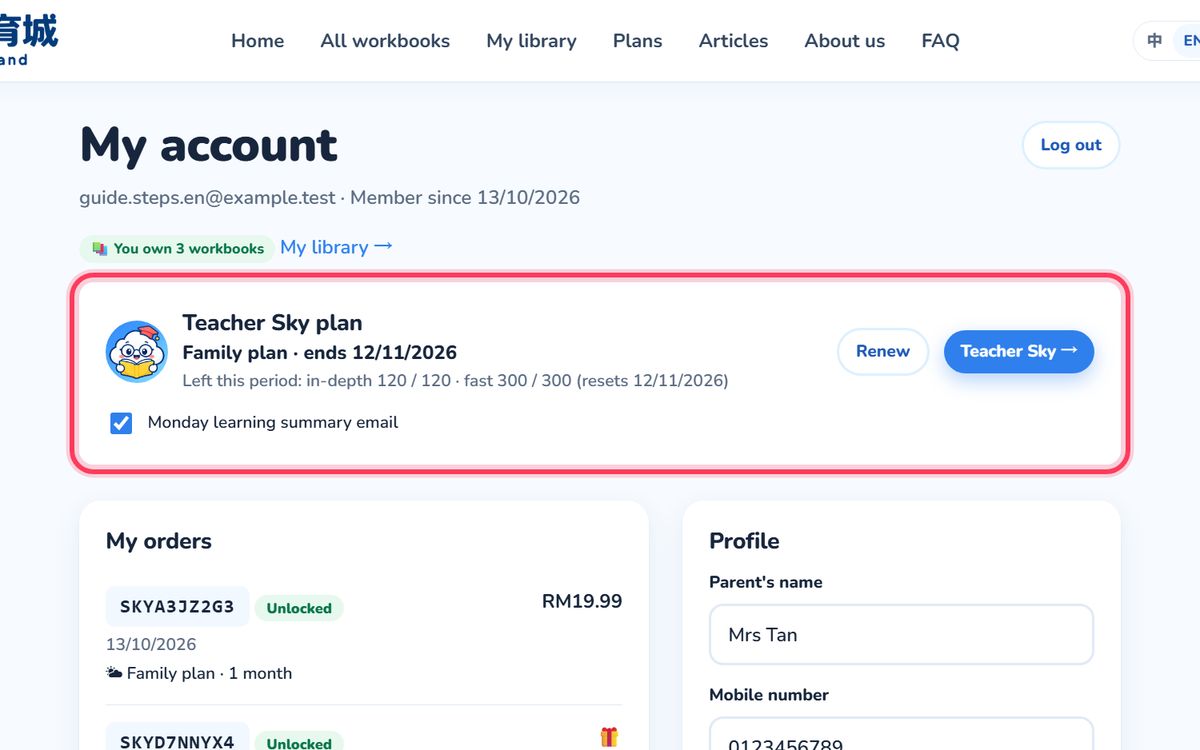
Once active, My account shows your plan, end date and questions left.
💡 We remind you by 🔔 and email 3 days before it ends. Renewing adds the days after your current ones; switching turns the days left into days of the new plan.
Download PDF (💻) · Download PDF (📱)