📚 My library: open and read
Every workbook you buy or claim is in My library. Read on your phone, tablet or computer.
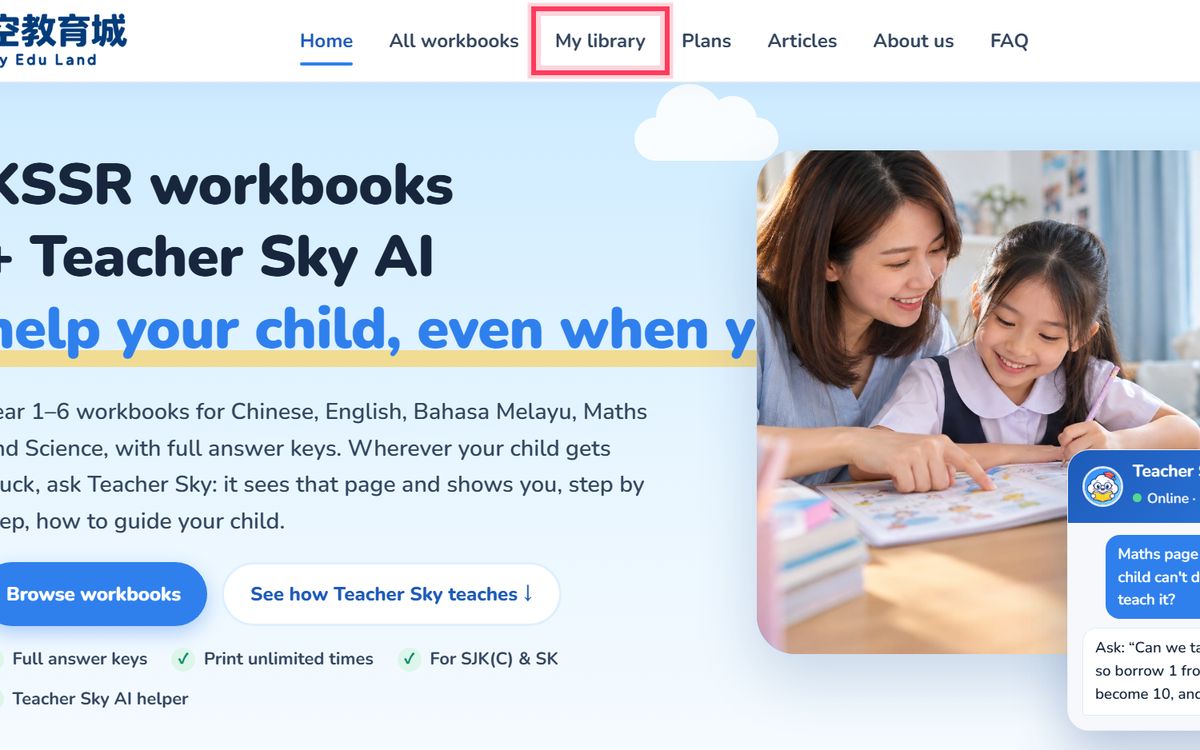
After logging in, click My library at the top.
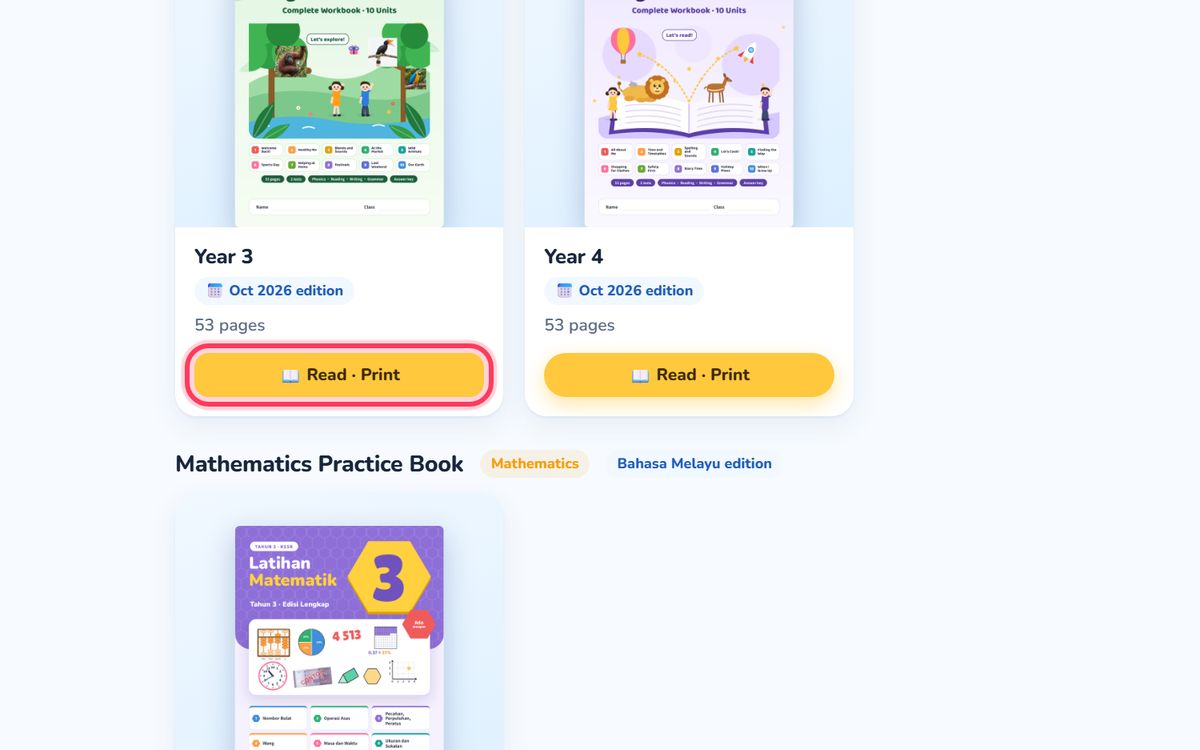
Find the workbook and click “Read · Print”.
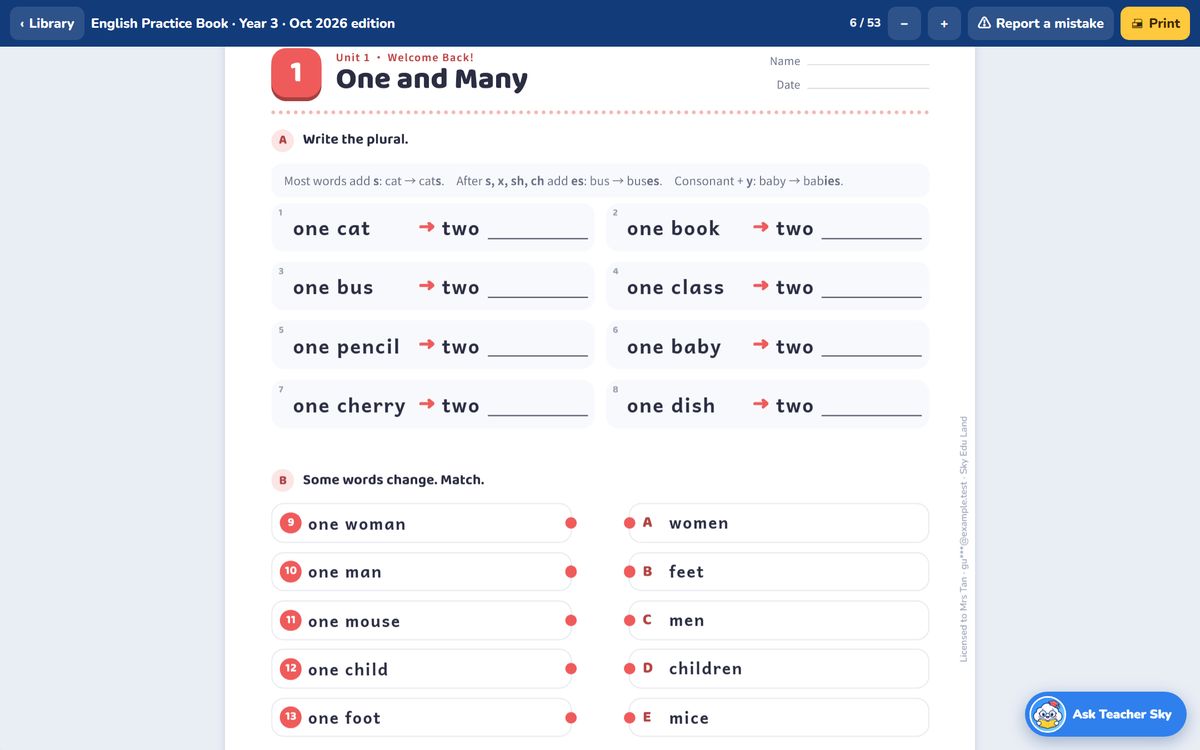
Scroll to turn pages; use + / − at the top to zoom.
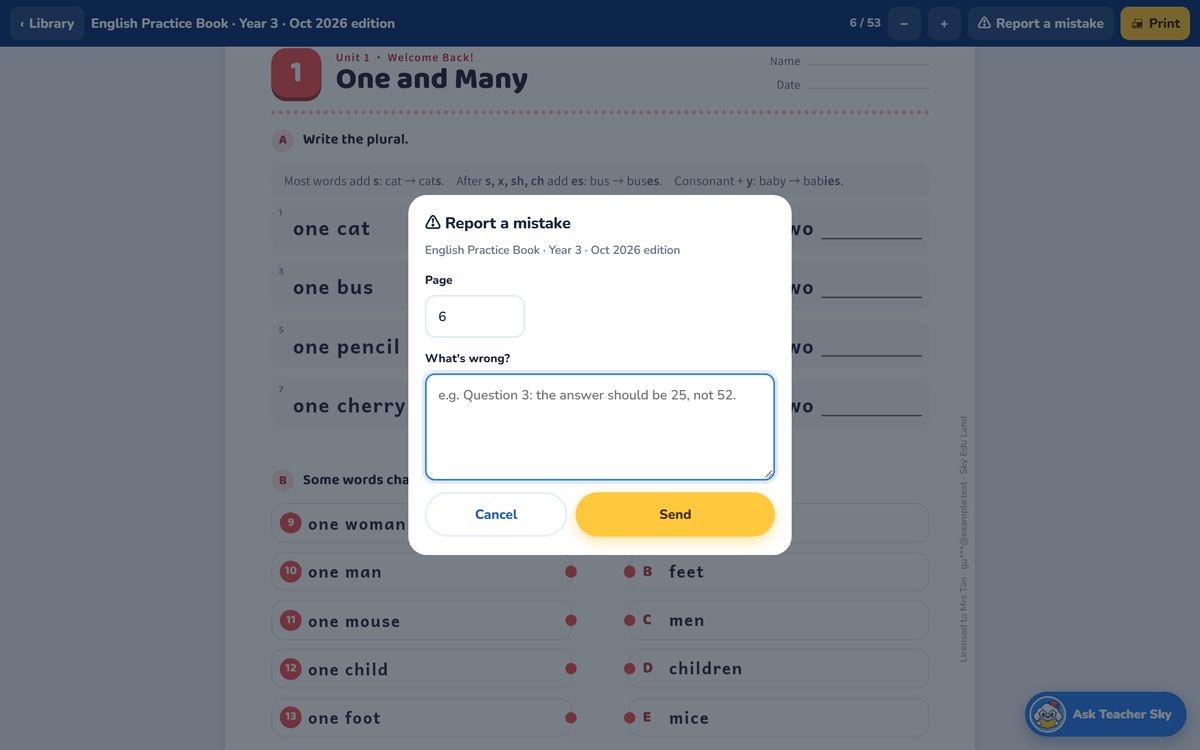
Spotted a mistake? Click ⚠ at the top, say what's wrong and click “Send”.
💡 Each account can read on 3 devices. New phone? Log in with the same email and your books are all there.
Download PDF (💻) · Download PDF (📱)